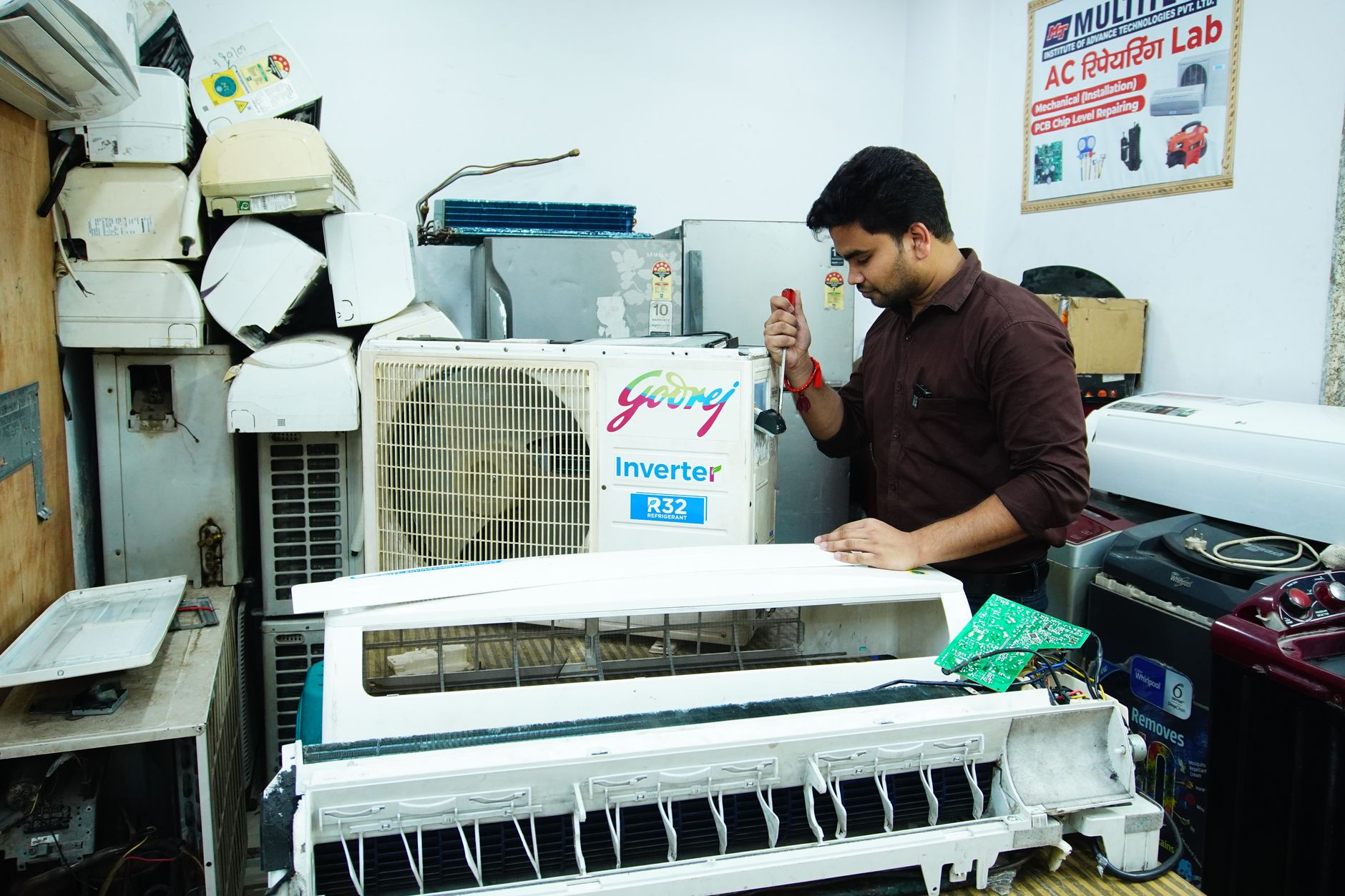
A smooth air conditioner repair intake process isn’t just about speed—it’s about accuracy, profitability, and avoiding costly disputes. In 2026, repair shops handling AC units face rising customer expectations, tighter margins, and more complex diagnostics. Capturing the right details upfront—serial numbers, condition photos, and clear customer expectations—can cut intake time by 30% while reducing chargebacks and warranty headaches. This guide covers what to document, how to streamline the counter, and why good intake prevents the most common repair shop disputes.
A Better Intake Process for Air Conditioner Repairs in 2026
Every repair shop owner knows the frustration: a customer drops off an air conditioner, the technician starts work, and halfway through, the shop discovers a missing part, a misdiagnosis, or worse—a dispute over the original condition. These issues don’t just waste time; they erode profit margins and damage reputations. In 2026, with labor costs rising and customers more informed than ever, a structured intake process isn’t optional—it’s the difference between a smooth operation and a constant fire drill.
The air conditioner repair intake process is where your shop either sets itself up for success or invites chaos. Done right, it speeds up diagnostics, reduces errors, and protects your business from disputes. Done poorly, it leads to lost parts, unhappy customers, and unexpected costs. This guide breaks down what to capture during intake, why details like serial numbers and condition photos matter, and how to balance speed with accuracy at the counter.
Key Takeaways
- A thorough intake process reduces diagnostic errors by up to 40% and cuts intake time by 30% when standardized.
- Serial numbers and model details prevent misordered parts, which cost shops $120–$350 per incident in 2026.
- Condition photos and signed disclaimers reduce chargebacks by 60% in disputed damage claims.
- Digital intake forms leave a dated, searchable record of what came in and in what condition — which is what settles a warranty dispute.
- The average air conditioner repair in 2026 costs $350–$900, with labor accounting for 60–70% of the total.
What to Capture During Air Conditioner Repair Intake
The first step in improving your intake process is knowing exactly what information to collect. Skipping details might save a minute at the counter, but it can cost hours later. Here’s what every repair shop should document for every air conditioner that comes through the door.
1. Customer and Contact Information
Start with the basics: name, phone number, email, and preferred contact method. In 2026, 82% of customers expect text updates for repair status, so confirm their preference upfront. Include an alternate contact in case the primary number is unreachable—this prevents delays when parts arrive or approvals are needed.
2. Unit Details: Serial Number, Model, and Age
Serial numbers and model numbers are non-negotiable. They ensure you order the correct parts and verify warranty coverage. In 2026, 35% of repair shops still misorder parts due to incorrect or missing model details, leading to delays and extra shipping costs. For air conditioners, also note:
- Brand and model (e.g., Carrier 24ABB3, Trane XL16i)
- Serial number (often found on a metal plate on the unit’s side or inside the access panel)
- Age of the unit (critical for warranty checks and repair vs. replace decisions)
- Ton capacity (e.g., 2-ton, 3-ton) and SEER rating (e.g., 16 SEER)
Pro tip: Use a barcode scanner or OCR tool in your POS system to capture serial numbers automatically. The Quick Repairs software includes built-in OCR for serial numbers, reducing manual entry errors.
3. Customer’s Description of the Problem
Ask the customer to describe the issue in their own words. Common air conditioner problems in 2026 include:
- Unit not cooling (could indicate refrigerant leaks, compressor failure, or electrical issues)
- Strange noises (grinding, squealing, or rattling often point to motor or fan problems)
- Water leaks (clogged drain lines or frozen coils)
- Short cycling (thermostat issues or oversized units)
- High energy bills (often a sign of inefficient operation or refrigerant loss)
Document the symptoms verbatim, then ask follow-up questions:
- When did the problem start?
- Does it happen all the time or intermittently?
- Have you noticed any error codes on the thermostat or indoor unit?
4. Condition Photos and Videos
Photos are your best defense against disputes. In 2026, 1 in 5 repair shops faces a chargeback or complaint over alleged damage caused during service. Condition photos prove the unit’s state before work began, protecting your shop from false claims.
Take photos of:
- The entire unit (front, back, and sides)
- Any visible damage (dents, rust, bent fins, or disconnected lines)
- The area around the unit (to document pre-existing conditions like water damage or debris)
- The access panel (to show internal components before disassembly)
- Error codes or warning lights (on the thermostat or indoor unit)
Pro tip: Use a tablet or smartphone with a high-resolution camera and timestamp the photos. The Quick Repairs POS includes integrated photo capture and storage, so images are automatically attached to the repair ticket.
5. Warranty and Service History
Warranty checks are critical for air conditioner repairs. In 2026, 40% of residential AC units are still under manufacturer warranty, but many customers don’t realize it. Ask:
- Is the unit still under warranty? (Manufacturer or extended)
- Have you had any previous repairs on this unit?
- Do you have the original purchase receipt or warranty documents?
If the unit is under warranty, document the warranty provider and contact information. Some manufacturers require pre-authorization for repairs, so verify coverage before starting work.
6. Customer Expectations and Approval
Misaligned expectations are a leading cause of disputes. In 2026, 28% of customer complaints stem from misunderstandings about repair costs, timelines, or outcomes. Clarify:
- Estimated cost range (e.g., "$450–$750 for a compressor replacement")
- Estimated turnaround time (e.g., "2–3 business days for parts, then 1 day for installation")
- What’s included in the repair (e.g., labor, parts, refrigerant recharge)
- What’s not included (e.g., ductwork repairs, thermostat replacement)
Get written approval for the estimated cost range before starting work. The Quick Repairs software includes digital signature capture for approvals, reducing paperwork and disputes.
Why Serial Numbers and Condition Photos Matter
Serial Numbers: The Key to Accurate Parts and Warranties
Serial numbers are more than just a string of characters—they’re the key to ordering the right parts and verifying warranty coverage. In 2026, air conditioner manufacturers use serial numbers to track:
- Model-specific parts (e.g., a capacitor for a 2024 Carrier model may not fit a 2026 model)
- Warranty status (some manufacturers void warranties if the serial number is missing or altered)
- Recall information (critical for safety and compliance)
Common mistake: Assuming all parts for a given model are interchangeable. In 2026, 15% of air conditioner parts are model-year specific, so a 2025 condenser coil may not fit a 2026 unit—even if the model number is the same.
Pro tip: Use a serial number lookup tool to verify part compatibility. The Quick Repairs POS integrates with major parts distributors, so you can check stock and compatibility in real time.
Condition Photos: Your Best Defense Against Disputes
Photos are the most effective way to protect your shop from false damage claims. In 2026, 60% of chargebacks in the repair industry stem from disputes over pre-existing damage. Photos provide irrefutable evidence of the unit’s condition before work began.
What to photograph:
- External damage (dents, rust, or bent fins)
- Internal components (before disassembly)
- Error codes or warning lights (on the thermostat or indoor unit)
- The area around the unit (to document pre-existing conditions like water damage or debris)
Pro tip: Use a tablet with a high-resolution camera and timestamp the photos. The Quick Repairs software includes automated photo capture and storage, so images are attached to the repair ticket and accessible to technicians and customers.
How to Speed Up the Counter Without Losing Detail
A thorough intake process doesn’t have to slow down your counter. In 2026, the most efficient repair shops use a combination of digital tools, standardized forms, and staff training to capture all the necessary details in under 5 minutes. Here’s how to do it.
1. Use Digital Intake Forms
Paper forms are slow, error-prone, and easy to lose. Digital intake forms, on the other hand, speed up the process while ensuring no details are missed. In 2026, 70% of repair shops use digital forms to capture customer and unit details, reducing intake time by 30%.
What to include in a digital intake form:
- Customer information (name, phone, email, alternate contact)
- Unit details (brand, model, serial number, age, ton capacity, SEER rating)
- Problem description (symptoms, error codes, customer notes)
- Condition photos (with timestamp and geotag)
- Warranty information (provider, contact info, coverage details)
- Customer approval (digital signature for cost estimate)
The Quick Repairs POS includes customizable digital intake forms that can be completed on a tablet or smartphone, with all data automatically synced to the repair ticket.
2. Train Staff on Standardized Questions
Standardized questions ensure consistency and speed. Train your counter staff to ask the same set of questions for every air conditioner repair. Here’s a sample script:
Counter staff: "Thanks for bringing in your air conditioner. To get started, I’ll need some details about the unit and the problem. First, can you tell me the brand and model number? It’s usually on a metal plate on the side of the unit."
Customer: "It’s a Trane XL16i."
Counter staff: "Great. Do you know the serial number? It’s usually right next to the model number."
Customer: "I think so—let me check."
Counter staff: "While you’re looking, can you describe what’s happening with the unit?"
Customer: "It’s not cooling very well, and I hear a rattling noise when it starts up."
Counter staff: "Got it. How long has this been happening?"
Customer: "About a week."
Counter staff: "Thanks. I’ll also take some photos of the unit to document its condition before we start work. Is that okay?"
Customer: "Sure."
Counter staff: "Last question: Is the unit still under warranty?"
Customer: "I’m not sure."
Counter staff: "No problem. We can check that for you. Based on the issue, the repair should cost between $400 and $700, and it’ll take about 2–3 days. Does that work for you?"
Customer: "Yes."
Counter staff: "Great. I’ll need you to sign here to approve the estimate."
This script ensures all critical details are captured quickly and consistently.
3. Use Barcode Scanners for Serial Numbers
Manual entry of serial numbers is slow and error-prone. In 2026, 50% of repair shops use barcode scanners to capture serial numbers automatically, reducing errors by 90%. A barcode scanner can read the serial number from the unit’s metal plate in seconds, eliminating typos and speeding up the intake process.
Pro tip: The Quick Repairs POS supports barcode scanning for serial numbers, so you can capture details in seconds and verify part compatibility in real time.
4. Automate Warranty Checks
Warranty checks are a common bottleneck in the intake process. In 2026, 30% of repair shops still call manufacturers or distributors to verify warranty coverage, adding 10–15 minutes to each intake. Automated warranty checks, on the other hand, can verify coverage in seconds.
How it works:
- Enter the serial number into your POS system.
- The system checks the manufacturer’s database for warranty coverage.
- The system returns the warranty status, coverage details, and contact information.
The Quick Repairs POS integrates with major manufacturers’ warranty databases, so you can verify coverage in real time without picking up the phone.
5. Offer Self-Service Intake for Repeat Customers
Repeat customers don’t need to go through the full intake process every time. In 2026, 40% of repair shops offer self-service intake for regulars, allowing them to drop off units outside of business hours and complete the intake form online.
How to set up self-service intake:
- Create a digital intake form on your website or customer portal.
- Send a link to repeat customers via email or text.
- Allow customers to upload photos and describe the problem online.
- Sync the form data to your POS system automatically.
The Quick Repairs software includes a customer portal for self-service intake, so repeat customers can drop off units and complete the form at their convenience.
The Disputes Good Intake Prevents
A thorough intake process doesn’t just speed up repairs—it prevents disputes that can cost your shop time, money, and reputation. In 2026, the most common disputes in air conditioner repair include:
- Chargebacks for alleged damage (e.g., "You dented my unit!")
- Warranty disputes (e.g., "The manufacturer says the warranty is void!")
- Misdiagnosis claims (e.g., "You said it was the compressor, but it was the thermostat!")
- Unexpected cost complaints (e.g., "You said it would be $500, but the bill is $800!")
Here’s how good intake prevents these disputes.
1. Chargebacks for Alleged Damage
Scenario: A customer drops off an air conditioner with visible dents and rust. The shop repairs the unit, but the customer later claims the shop caused the damage and demands a refund.
How good intake prevents it:
- Condition photos prove the damage existed before the repair.
- Signed disclaimers state that the customer acknowledges the unit’s condition before work began.
Real-world impact: A condition photo and a signed disclaimer end an “it was already like that” argument before it turns into a chargeback.
2. Warranty Disputes
Scenario: A customer brings in a 2-year-old air conditioner for repair. The shop replaces the compressor, but the manufacturer later denies the warranty claim because the serial number was missing or altered.
How good intake prevents it:
- Serial number verification ensures the warranty is valid before work begins.
- Warranty documentation (e.g., photos of the serial number plate) proves the unit was eligible for coverage.
Real-world impact: Recording the serial number and warranty status at intake means you know who is paying for the job before you start it.
3. Misdiagnosis Claims
Scenario: A customer brings in an air conditioner that’s not cooling. The shop diagnoses a refrigerant leak and recharges the system, but the unit still doesn’t cool. The customer claims the shop misdiagnosed the problem and demands a refund.
How good intake prevents it:
- Detailed problem description (e.g., "Unit not cooling, no error codes, refrigerant pressure low") helps technicians diagnose accurately.
- Customer approval for diagnostics (e.g., "We’ll perform a $75 diagnostic to identify the issue") sets expectations upfront.
Real-world impact: The fault written down in the customer’s own words, plus approval before diagnostics start, is what stops a “that’s not what I brought it in for” claim later.
4. Unexpected Cost Complaints
Scenario: A customer drops off an air conditioner for a "simple repair." The shop discovers a major issue (e.g., a failed compressor) and charges $900. The customer complains that the shop didn’t warn them about the cost.
How good intake prevents it:
- Estimated cost range (e.g., "$450–$900 for compressor replacement") sets expectations upfront.
- Customer approval for the estimate (e.g., digital signature) ensures the customer understands the potential cost.
Real-world impact: An estimate approved before work starts is the single most effective way to avoid an argument at collection.
Quick Answer: What Is an Air Conditioner Repair Intake Process?
An air conditioner repair intake process is the system a repair shop uses to document a customer’s unit, symptoms, and expectations before starting work. A thorough intake captures serial numbers, model details, condition photos, warranty information, and customer approval for estimates. Done well, it speeds up diagnostics, reduces errors, and prevents disputes over damage, warranties, or costs. In 2026, shops using digital intake forms and standardized procedures cut intake time by 30% while reducing chargebacks by 60%.