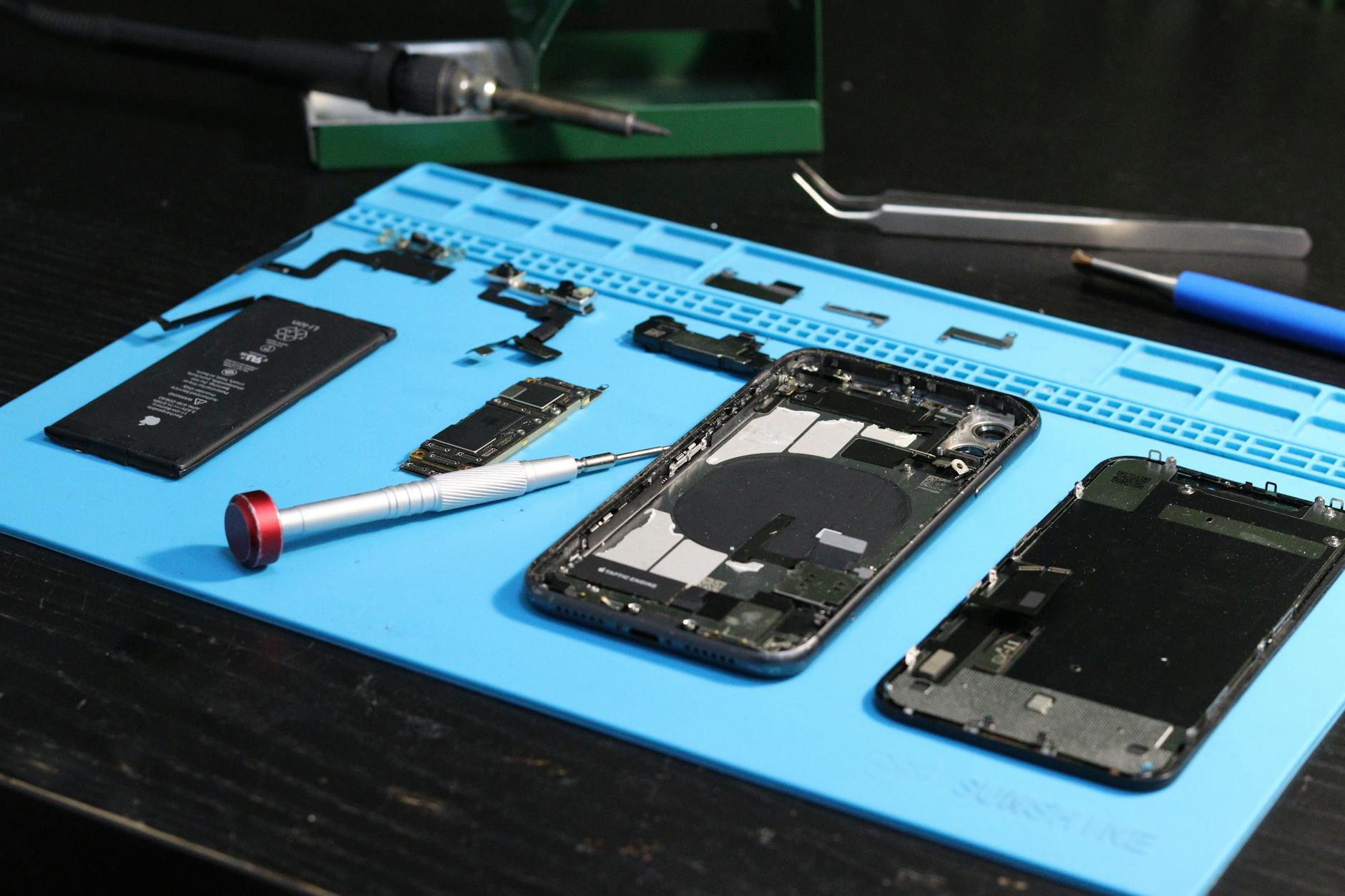

Managing a smartphone repair shop’s smartphone parts inventory isn’t just about keeping shelves stocked—it’s about balancing speed, cost, and profit margins while accounting for the chaos of model variants and rapid obsolescence. Dead stock ties up cash, while stockouts lose jobs to competitors. This guide breaks down which parts to stock on-hand, when to order per job, how to set reorder points without overpaying, and the hidden costs of carrying obsolete inventory. With the average repair ticket in 2026 generating $45–$120 in revenue, getting inventory right means the difference between a thriving shop and one fighting for scraps.
Smartphone Parts Inventory: What to Stock and What to Order In
Running a profitable smartphone repair shop in 2026 means mastering smartphone parts inventory—a moving target where wrong choices eat into margins. Stock too much, and you’re stuck with dead inventory costing 20–30% of its value annually. Stock too little, and you lose jobs to competitors who can turn around a screen replacement in 30 minutes instead of 4 hours. The challenge isn’t just what to stock, but how to balance speed, cost, and the reality that a single iPhone model can have 15+ variant configurations.
This guide cuts through the noise to answer:
- Which parts should sit on your shelf ready to go, and which should be ordered per job?
- How to set reorder points that prevent stockouts without burying you in dead stock?
- The real cost of carrying obsolete parts—and how to avoid it.
- Why model variants make smartphone inventory harder than laptops or tablets (and how to adapt).
Key Takeaways
- High-turnover parts (screens, batteries, charging ports) should be stocked on-hand; low-turnover parts (rare motherboards, niche cameras) should be ordered per job.
- Reorder points should account for lead times (typically 2–7 days for US suppliers) and demand variability—aim for 90% fill rate to avoid lost jobs.
- Dead stock costs 20–30% annually in storage, depreciation, and write-offs. Audit inventory quarterly to catch obsolescence early.
- Model variants (e.g., iPhone 15 Pro vs. Pro Max vs. non-Pro) can double your part SKUs. Use a POS system to track variants by model number, not just brand.
- Supplier reliability matters more than price. A 10% price cut from an unreliable vendor can cost you $50+ per job in delays.
On-Shelf vs. Per-Job Ordering: The Margin Tradeoff
Not all parts belong on your shelf. The decision hinges on turnover rate, cost per unit, and lead time. High-volume, low-cost parts (like screens or digitizers) should be stocked; rare, expensive parts (like a Snapdragon 8 Gen 3 motherboard) should be ordered as needed.
Quick Answer
Stock screens, batteries, charging ports, and common cameras on-hand—these account for 70% of repair jobs and have lead times of 2–5 days. Order motherboards, rare displays, and niche components per job unless you service a high volume of that specific model. For example, an iPhone 15 Pro Max screen costs $80–$120 retail; stocking 10 units ties up $800–$1,200 in capital. If you only repair 2–3 of these monthly, ordering per job saves cash without risking stockouts.
Parts to Stock On-Shelf (High Turnover, Low Risk)
These parts see frequent demand and justify keeping inventory. Prioritize based on your shop’s top 3–5 models:
| Part | Price Range (2026) | Shelf Life | Reorder Point | Notes |
|---|---|---|---|---|
| LCD/AMOLED Screens | $40–$180 | 3–6 months | 5–10 units | Stock by model (e.g., iPhone 15 vs. 14). |
| Digitizers | $30–$120 | 6–12 months | 3–8 units | Often sold in screen/digitizer combos. |
| Batteries | $15–$60 | 6–12 months | 5–15 units | Lithium-ion degrades; test before stocking. |
| Charging Ports | $5–$30 | 12+ months | 10–20 units | USB-C vs. Lightning—stock both. |
| Common Cameras | $20–$80 | 6–9 months | 3–6 units | iPhone rear cameras are model-specific. |
| Back Glass Panels | $10–$40 | 9–18 months | 5–12 units | Often sold with screens. |
| Home Button Assemblies | $8–$25 | 12+ months | 8–15 units | iPhone models only. |
Pro Tip: If you repair 50% of jobs on iPhones, stock 60% of your inventory for Apple models. Use your POS data to track which brands/models drive the most revenue—this should dictate 80% of your stock.
Parts to Order Per Job (Low Turnover, High Risk)
These parts are expensive, niche, or obsolete quickly. Ordering them as needed reduces capital tied up in inventory but requires reliable suppliers with 24–48 hour turnaround for urgent repairs.
| Part | Price Range (2026) | When to Order | Supplier Lead Time | Risk of Obsolescence |
|---|---|---|---|---|
| Motherboards | $100–$300 | Per job or in bulk for 1–2 models | 3–7 days | High (new models every 6–9 months) |
| Rare Displays | $80–$250 | Per job (e.g., ProMotion XDR) | 5–10 days | Very high |
| Niche Sensors | $15–$60 | Per job (e.g., LiDAR, ToF) | 4–8 days | Medium |
| Specialty Cameras | $50–$150 | Per job (e.g., iPhone Pro lenses) | 7–14 days | High |
| Antenna Assemblies | $20–$80 | Per job (signal issues) | 3–5 days | Medium |
Warning: Ordering a motherboard for a one-time repair job can cost $250+ in parts alone. Before ordering, ask:
- Is this a recurring issue (e.g., 3+ jobs/month for this model)?
- Can you salvage a board from a dead device instead?
- Does your supplier offer a rush fee (often +20–30%) for same-day shipping?
Setting Reorder Points: Avoid Stockouts Without Drowning in Inventory
Reorder points aren’t just guesswork—they’re calculated based on demand, lead time, and safety stock. A poorly set reorder point can mean:
- Stockouts (losing jobs to competitors who stock smarter).
- Overstocking (tying up $5,000+ in dead inventory).
The Formula for Smart Reorder Points
Use this formula to set your trigger:
Reorder Point = (Daily Demand × Lead Time) + Safety Stock
- Daily Demand: Average number of units sold per day (e.g., 0.5 iPhone 15 screens/day).
- Lead Time: Supplier delivery time (e.g., 4 days).
- Safety Stock: Buffer for demand spikes (e.g., 20% of daily demand).
Example:
If you sell 2 iPhone 14 screens per week (0.28/day) and your supplier takes 5 days to deliver, with a 20% safety buffer:
Reorder Point = (0.28 × 5) + (0.28 × 0.2 × 5) = 1.4 + 0.28 = **1.68 → Round up to 2 units**
Order when you have 2 screens left.
Adjusting for Seasonality and Model Lifecycles
Smartphone repair demand isn’t steady. Plan for:
- Holiday spikes (Q4 2026 sees 30–50% more drop-offs due to gift-related damage).
- Model refresh cycles (iPhone 16 launches in September 2026; stock for the 15 series drops by November 2026).
- Supplier reliability (some vendors hit delays in Q1 due to Chinese New Year).
Action Step: Run a quarterly inventory audit to:
- Identify parts with <20% turnover in 3 months (likely obsolete).
- Adjust reorder points for seasonal models (e.g., stock 50% more screens in December).
- Discontinue parts that haven’t been used in 6+ months.
The Hidden Cost of Dead Stock: Why $100 in Parts Can Cost You $30
Dead stock isn’t just parts sitting on a shelf—it’s cash drain. Here’s the breakdown for a $100 part with a 24-month shelf life:
| Cost Factor | Annual Impact | Total Over 2 Years |
|---|---|---|
| Storage (warehouse space) | $5–$10/month | $100–$200 |
| Depreciation (part loses value) | 10–15%/year | $20–$30 |
| Insurance | 1–2% of part value | $20–$40 |
| Opportunity cost (capital tied up) | Varies | $50–$200 (could be reinvested) |
| Total Dead Stock Cost | ~20–30%/year | $40–$120 over 2 years |
Real-World Example:
A shop stocks 10 iPhone 13 screens at $80 each ($800 total). By June 2026, only 2 are used, and the remaining 8 become obsolete. Over 18 months:
- Storage/insurance: ~$120
- Depreciation: ~$120 (parts lose value as newer models replace them)
- Opportunity cost: $800 could’ve been used for marketing or new tools.
Total loss: ~$360 (45% of original cost).
How to Avoid It:
- Set a "days on shelf" alert in your inventory system (e.g., flag parts not used in 90 days).
- Negotiate return policies with suppliers (e.g., 30–60 day returns for unused stock).
- Sell obsolete parts to salvage value (list on eBay, Facebook Marketplace, or to other repair shops).
Model Variants: Why Smartphone Inventory Is Harder Than You Think
Here’s the problem: One "iPhone 15" isn’t one model—it’s 15+ variants.
- Storage tiers: 128GB, 256GB, 512GB (each may have different motherboards).
- Regional models: iPhone 15 (Global) vs. iPhone 15 (China) vs. iPhone 15 (India) (different radios, cameras).
- Color-specific parts: Some back glass panels or camera modules differ by color (e.g., Pro Max Purple vs. Blue).
- Carrier-locked parts: AT&T or Verizon models may have unique antenna assemblies.
Result: What you think is a single part SKU can actually be 3–5 different variants, each requiring separate inventory.
How to Manage Variant Chaos
- Track by model number, not brand.
- Don’t stock "iPhone screens"—stock iPhone 15 (A2849) screen, iPhone 15 Plus (A2850) screen, etc.
- Use a POS system that flags variant mismatches.
- Example: If a customer brings an iPhone 15 (Global) but you pull an iPhone 15 (China) screen, the system should alert you.
- Bundle common variants.
- If 80% of your jobs are iPhone 15/15 Plus, stock 2 SKUs instead of 5.
- Outsource rare variants.
- For ultra-niche parts (e.g., iPhone 14 Pro Max LiDAR sensor), partner with a third-party supplier that specializes in variants.
Data Point: A shop servicing only iPhones may need 50–70% more SKUs than one repairing a mix of Android and iOS devices. If you repair 70% Android, your variant complexity drops by 30–40%.
Final Thought: Inventory Is a Competitive Weapon
In 2026, the average smartphone repair shop margin is 40–55%—but only if you control inventory costs. Stockouts mean lost jobs; overstock means wasted cash. The key is precision:
- Stock high-turnover parts on-hand.
- Order low-turnover parts per job.
- Audit quarterly to kill dead stock.
- Track variants to avoid mismatches.
The shops that win aren’t the ones with the cheapest parts—they’re the ones with the smoothest workflow, the least waste, and the fastest turnaround. That’s where The Quick Repairs POS comes in.
Talk to an expert to see how our inventory management features can cut your dead stock by 50% and speed up repairs by 30%. Or book a free demo to test the system with your current inventory data.
External References: