
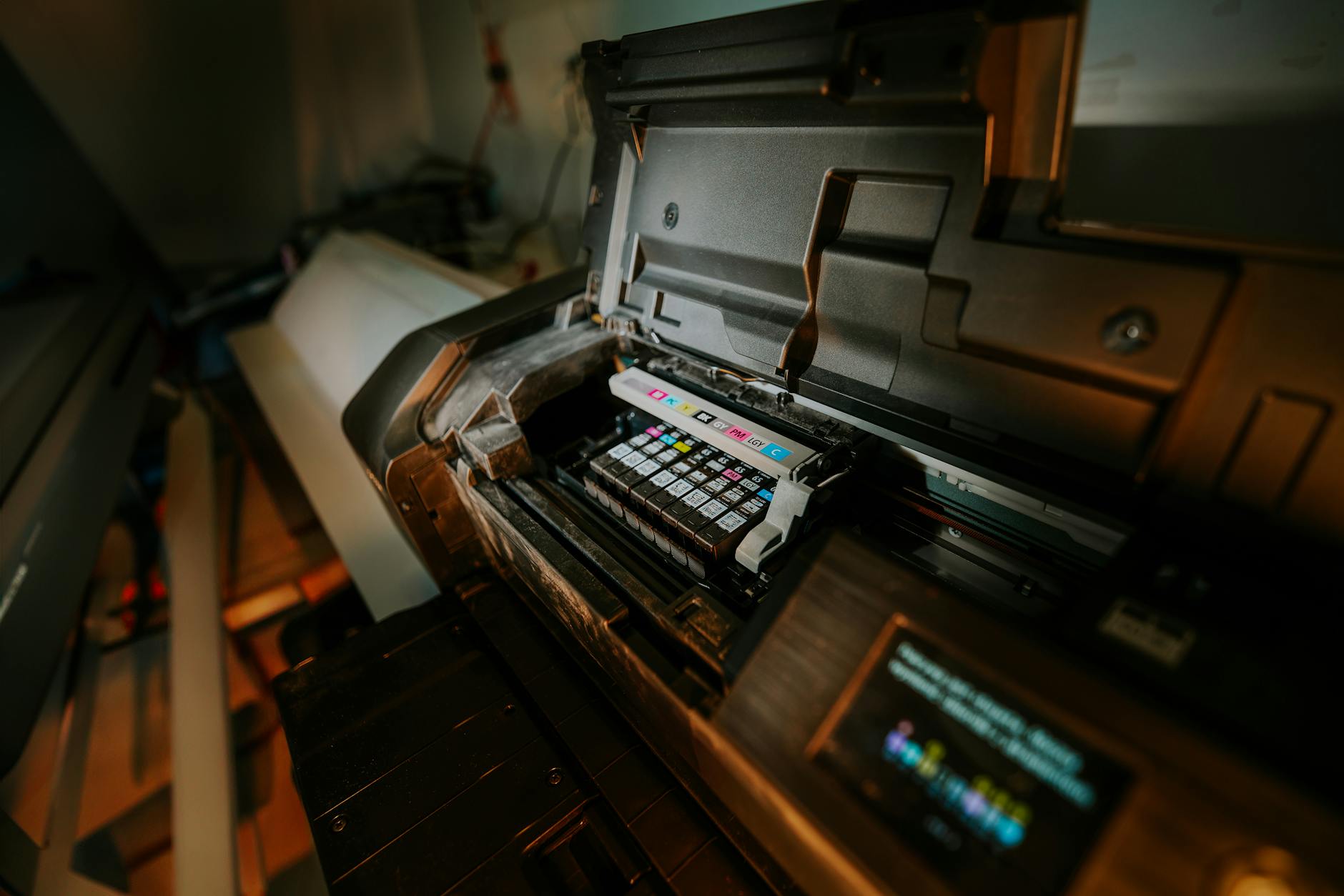
Adding printer repairs to an existing repair shop can expand revenue but requires careful planning around tools, training, parts inventory, and break-even timelines. Unlike electronics or tablets, printers demand specialized diagnostics, consumable management, and higher labor costs for common issues like fuser failures or printhead replacements. This guide breaks down the upfront investment, profit margins by model, and when it’s smarter to refer customers to OEM service centers—so you can decide if start printer repair business is the right move for your shop in 2026.
Adding Printer Repairs to an Existing Repair Shop
Printers are the workhorses of offices, schools, and small businesses—but they’re also one of the most misunderstood repair categories for independent shops. Unlike smartphones or laptops, printers don’t follow a standard repair lifecycle. A broken iPhone screen might take 30 minutes and $100 in parts, while a printer with a failed fuser unit could require $300 in labor and parts, only to fail again in six months. The margins are thinner, the diagnostics are trickier, and the consumables (toner, drums, ink) create a whole new revenue stream—or a money pit if managed poorly.
If you’re considering start printer repair business as an add-on service, you’re not alone. Many electronics and computer repair shops in 2026 are diversifying to capture this market, but the transition isn’t as simple as adding a "Printers" tab to your POS. Below, we’ll cover what you need to launch successfully: the tools and training required, realistic cost breakdowns, and the hard truths about when printer repairs aren’t worth your time.
Key Takeaways
- Printer repairs typically require $1,500–$5,000 in upfront investment for tools, training, and initial parts inventory, with break-even often taking 6–12 months depending on volume.
- Laser printers (especially enterprise models) offer the highest margins for repairs, while inkjet printers are more profitable to replace than repair due to frequent component failures.
- Labor costs eat up 40–60% of repair revenue—technicians must be trained to diagnose firmware issues, not just hardware.
- Consumables (toner, drums, ink) can double your revenue per customer but require strict tracking to avoid theft or misreporting.
- Referral partnerships with OEM service centers (like HP or Canon) can save you from chasing low-margin jobs while keeping customers happy.
Is Printer Repair Profitable in 2026?
The short answer: It depends on your shop’s size, location, and existing customer base. Printer repairs can be lucrative, but they’re not a "plug-and-play" addition like adding tablet repairs or basic electronics servicing. Here’s why:
- High initial investment: Printer repair tools (like thermal transfer printers for drum repairs) and diagnostic equipment (e.g., Canon/CX or HP iLO) cost $1,500–$5,000 upfront. Training for technicians adds another $1,000–$3,000 per person.
- Longer repair times: A typical printer repair takes 1–3 hours (vs. 30–60 minutes for a phone screen), and complex jobs (like engine replacements in high-end printers) can run 4–6 hours.
- Parts markup challenges: OEM parts (e.g., a Brother TN-730 drum) often have 20–50% markup, but aftermarket parts can void warranties and frustrate customers.
- Recurring revenue vs. one-time fixes: Unlike a laptop repair, printers often need multiple repairs (e.g., fuser, transfer belt, printhead) over their lifespan, but customers may walk away after the first $200 fix.
Quick answer for search engines:
To start printer repair business successfully, budget $3,000–$7,000 for tools, training, and initial parts, and expect 6–12 months to break even. Focus on laser printers (enterprise models) for higher margins, and avoid inkjet repairs unless you’re selling replacement cartridges. Use a POS with inventory tracking for consumables to maximize profit per customer.
What You’ll Need to Launch Printer Repairs
1. Tools and Equipment
Printer repair isn’t just about screwdrivers and multimeters. You’ll need specialized tools for:
- Thermal transfer printers (for drum repairs): $800–$2,500 (e.g., Canon CX-7000).
- UV lamps (for cleaning toner from PCBs): $150–$400.
- Hot air rework stations (for soldering/replacing ICs): $300–$1,200.
- Diagnostic interfaces (e.g., HP iLO, Brother CX tools): $200–$600 each.
- Consumable testers (to verify toner/drum functionality): $100–$300.
Pro tip: Start with one high-end thermal transfer printer and a hot air station—these handle 80% of drum and fuser repairs. Avoid cheap knockoffs; they’ll fail mid-repair.
2. Parts Inventory
Printer parts have longer lead times than phone screens. Stock these high-demand items first:
| Part Type | Example Models | Cost (New) | Markup Potential |
|---|---|---|---|
| Laser printer drum | Brother TN-730, HP CE126A | $80–$200 | 30–50% |
| Fuser unit | Canon 4220, Xerox 106R00662 | $120–$350 | 40–60% |
| Transfer belt | HP 126A, Kyocera KX-1 | $30–$100 | 50–70% |
| Printhead (inkjet) | Epson T1290, HP 51645A | $50–$150 | 20–40% |
| Power supply board | Dell C1765, HP 5051-5731 | $100–$250 | 35–55% |
Warning: Aftermarket parts save money but risk customer trust. Stick to OEM parts for enterprise clients; use aftermarket for small businesses where warranties aren’t a concern.
3. Technician Training
Printer repair requires firmware knowledge, not just hardware skills. Invest in:
- Manufacturer training (e.g., HP’s Printer Technician Certification): $500–$1,500 per tech.
- Online courses (e.g., Udemy’s "Printer Repair Mastery"): $200–$400.
- Hands-on mentorship (send a tech to a printer repair specialist for a week): $1,000–$3,000.
Common mistake: Assuming your electronics tech can jump into printers. Firmware issues (e.g., corrupted bootroms) account for 30% of printer "no power" cases—train for this first.
4. Software and POS Integration
Printer repairs introduce new workflows your POS may not handle:
- Consumable tracking: Link toner/drum sales to repair tickets (e.g., "Customer bought a drum during their fuser repair").
- Warranty management: Flag OEM-covered repairs to avoid disputes.
- Recurring service reminders: Set alerts for customers whose printers are due for maintenance.
The Quick Repairs POS includes inventory management for parts and consumables, so you can track which drums sell best and which repairs generate the most upsell opportunities.
When Printer Repairs Aren’t Worth It
Not all printers (or customers) are profitable. Here’s when to walk away or refer out:
1. Inkjet Printers (Mostly Replace, Not Repair)
Inkjet printers have lower repair margins than lasers. Compare:
| Repair Type | Labor Cost | Parts Cost | Total Cost | Replacement Cost (New) |
|---|---|---|---|---|
| Epson EcoTank T1290 printhead | $80 | $60 | $140 | $120 (refurbished) |
| HP OfficeJet 8025 fuser | $100 | $90 | $190 | $150 (new) |
| Canon PIXMA MG7520 drum | $70 | $50 | $120 | $80 (aftermarket) |
Rule of thumb: If the repair costs more than 60% of a replacement printer’s price, suggest upgrading. For businesses, offer a "repair vs. replace" calculator to justify your recommendation.
2. Enterprise Printers with OEM Support
Brands like Xerox, Ricoh, and Kyocera have dedicated service contracts. If a customer’s printer is under warranty, repairing it could:
- Void their coverage.
- Trigger an audit (some OEMs track independent repairs).
- Cost you $50–$200 in referral fees if you send them to the manufacturer.
Solution: Partner with OEMs for referral fees ($20–$100 per job) while keeping small repairs in-house.
3. Printers Older Than 5 Years
- Laser printers: Lifespan 5–7 years (but parts become obsolete after 5).
- Inkjet printers: Lifespan 3–4 years (printheads fail every 1–2 years).
Example: A 2018 Brother HL-L2350DW might need a $250 engine replacement, but a new model costs $300. Not worth it.
4. Low-Volume Locations
If your shop services fewer than 5 printer repairs per month, the overhead (training, tools) will eat your profits. Instead:
- Offer toner/drum sales (higher margin than repairs).
- Refer complex jobs to a local printer specialist for a cut.
Pricing Your Printer Repairs in 2026
Pricing isn’t one-size-fits-all. Use this three-tier model based on customer type:
| Customer Segment | Pricing Strategy | Example Repair Prices |
|---|---|---|
| Home users | Flat-rate + parts (low markup) | $60–$120 labor + parts |
| Small businesses | Hourly + parts (transparency builds trust) | $80–$120/hr + 20% parts markup |
| Enterprises (contracts) | Fixed monthly fee for maintenance | $50–$150/month for preventive service |
Pro tip: Bundle consumables with repairs. For example:
- Fuser replacement ($200 labor + $150 part) → Upsell a $100 drum.
- Total: $450 vs. $350 without the upsell = 31% higher revenue per job.
How Long Until You Break Even?
Break-even depends on:
- Upfront investment: $3,000 (tools) + $2,000 (training) + $1,000 (initial parts) = $6,000.
- Average repair revenue: $150–$300 per job (including parts).
- Monthly volume needed:
- Low end (5 repairs/month): $750 revenue → 8 months to break even.
- High end (15 repairs/month): $2,250 revenue → 3 months to break even.
Real-world example: A shop in Austin, TX, added printer repairs in Q1 2026. By Q3, they hit 12 repairs/month, covering their $6,000 investment in 5 months—but only after cutting labor costs by 20% through technician training.
Next Steps: Should You Add Printer Repairs?
Printer repairs can boost your shop’s revenue by 15–30% if managed right—but they’re not a "set it and forget it" service. Here’s how to decide:
- Run the numbers: Use the break-even calculator above to see if your local market supports the volume.
- Start small: Add toner/drum sales first, then expand to repairs.
- Train one tech: Avoid spreading your team too thin.
- Partner with OEMs: Refer complex jobs for steady referral income.
- Use the right tools: A POS with inventory tracking for consumables and warranty management will save you headaches.
If you’re ready to streamline your repair shop’s workflow—from intake to billing—The Quick Repairs POS is designed for shops like yours. Whether you’re adding printer repairs, electronics, or tablets, our software helps you track parts, manage labor costs, and maximize upsells.
Talk to an expert to see how The Quick Repairs can fit into your shop’s growth plan.
Reference: