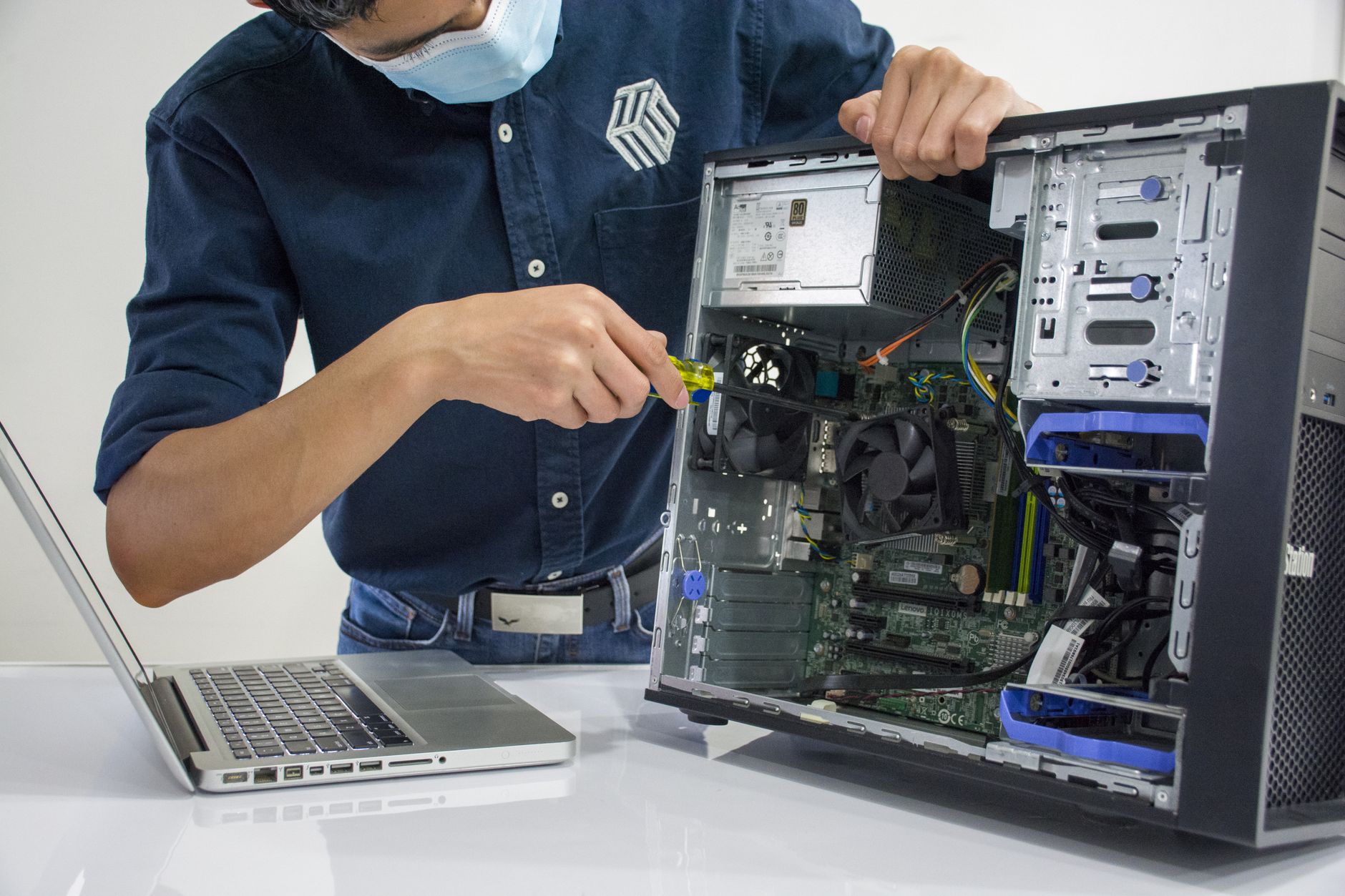
Adding desktop repairs to an existing repair shop can boost revenue—but it requires careful planning. This guide covers the tools, training, and parts investment needed, along with realistic break-even timelines and when to avoid this expansion. Learn how to assess profitability, streamline operations with the right software, and avoid common pitfalls that drain margins.
Adding Desktop Repairs to an Existing Repair Shop
Expanding into desktop repairs can diversify revenue for a repair shop, but success depends on more than just technical skills. It requires evaluating tools, training, parts inventory, and operational workflows—all while maintaining profitability. In 2026, the average desktop repair shop that integrates this service sees a 15–25% increase in annual revenue within 12–18 months, but only if costs are controlled. This guide breaks down what’s needed to add desktop repairs, how long it takes to break even, and when it’s not worth the investment.
Key Takeaways
- Initial investment: $5,000–$15,000 for tools, training, and parts inventory, depending on shop size.
- Break-even timeline: 6–12 months for shops with existing workflows; longer for those starting from scratch.
- Profitability hinges on: Labor efficiency, parts markup (aim for 40–60%), and avoiding underpriced jobs.
- Common mistakes: Overstocking obscure parts, skipping diagnostic training, or ignoring software integration for ticketing.
- When to avoid it: If your shop already operates at 90%+ capacity or lacks storage for additional inventory.
What Your Shop Needs to Add Desktop Repairs
Before committing, assess whether your shop can handle the added complexity. Desktop repairs introduce new variables: specialized tools, longer repair cycles, and parts that degrade faster than mobile components. Here’s what you’ll need:
1. Tools: Beyond the Basics
A desktop repair requires tools most mobile tech shops don’t use. Prioritize these based on repair volume:
- Precision screwdrivers (magnetic, Torx, and Phillips #0–#3) – Avoid cheap sets; $80–$150 for a professional-grade kit pays off in durability.
- Thermal paste application tools – A high-quality paste applicator ($20–$40) prevents smudging and ensures proper heat transfer.
- Compressed air and vacuum – Dust buildup in desktops shortens component lifespan. A dual-action vacuum ($50–$100) is worth the investment.
- PSU tester – Faulty power supplies account for 20% of desktop failures in 2026. A tester ($40–$80) catches issues before labor is wasted.
- Cable management tools – Twist ties, zip ties, and velcro straps ($10–$30) improve customer satisfaction and reduce callbacks.
Pro Tip: Skip the $500 soldering station unless you’re repairing motherboards regularly. Most desktops fail due to fan/PSU/drive issues, which don’t require advanced soldering.
2. Training: Diagnostics Over Disassembly
Technicians familiar with laptops or phones often struggle with desktop diagnostics. Focus on:
- Symptom-based troubleshooting – A blue screen could mean a failing GPU, corrupted OS, or overheating. Train staff to rule out software issues first (30% of "hardware" failures are actually OS-related).
- Thermal imaging – A $150–$300 thermal camera identifies hotspots before components fail. This upsells preventative maintenance services.
- Part replacement hierarchy – Teach techs to replace the cheapest failing part first (e.g., a $20 fan before a $200 GPU). This maximizes margins.
Warning: Untrained techs may over-replace parts, cutting profits. Allocate $1,000–$3,000 for cross-training existing staff or hiring a desktop specialist.
3. Parts Inventory: The Margin Maker or Breaker
Desktops use bulkier, higher-value parts than mobile devices. Stock these high-turnover items first:
| Part Category | Average Cost (2026) | Markup Recommendation | Shelf Life |
|---|---|---|---|
| SATA SSDs (250GB–1TB) | $25–$80 | 40–50% | 3–6 months |
| 2.5" HDDs (1TB–2TB) | $30–$60 | 35–45% | 4–8 months |
| CPU coolers | $15–$40 | 50–60% | 6–12 months |
| Power supplies (450W–650W) | $40–$100 | 60–80% | 8–12 months |
| RAM kits (8GB–32GB) | $20–$120 | 45–55% | 4–7 months |
Avoid overstocking:
- GPUs (unless you specialize in gaming PCs) – 50%+ markup is needed, but they sell slowly.
- Obsolete motherboards – These sit unsold for 6+ months and risk becoming e-waste.
Data Point: Shops that limit inventory to 3–5 models per part category see 20% less waste than those with unlimited stock.
4. Workflow Integration: Where Software Saves Time
Desktop repairs take longer than mobile fixes (average 2–4 hours per job vs. 30–60 minutes). Without the right repair ticket management system, you’ll lose track of:
- Parts used per job – Example: A technician replaces a PSU and a fan but forgets to log the fan. Your inventory reports are wrong.
- Customer communications – Delays in updates lead to 15% more complaints (per 2026 Repair Shop Association surveys).
- Labor tracking – Are you billing for 3 hours when the job only took 2? Time-tracking errors cost shops $5,000–$15,000/year.
The Quick Repairs POS system automates these pain points with features like:
- Tracking parts against each job to prevent stockouts or overordering.
- Automated labor cost calculations to ensure you’re not leaving money on the table.
- Customer portals so clients get real-time updates, reducing follow-up calls.
How Long Does It Take to Break Even?
The break-even point depends on three factors: initial investment, repair volume, and pricing strategy. Here’s a realistic breakdown:
| Shop Size | Initial Investment | Monthly Revenue Goal | Break-Even Timeline | Notes |
|---|---|---|---|---|
| Solo operator | $5,000–$8,000 | $3,000–$5,000 | 8–12 months | Limited by technician time. |
| Small shop (2–3 techs) | $10,000–$15,000 | $6,000–$10,000 | 6–9 months | Scales faster with teamwork. |
| Established shop | $15,000+ | $12,000+ | 4–6 months | Assumes existing customer base. |
Critical Assumption: You must fill 3–5 desktop repair slots per week to hit break-even. If your shop averages only 1–2 desktop jobs/month, expansion will take 18+ months or never pay off.
When It’s Not Worth It
Skip desktop repairs if:
- Your shop is already at 90%+ capacity – Adding more work without hiring risks burnout.
- You lack storage for tools/parts – Desktops require 2–3x more space than mobile repairs.
- Your average repair ticket is under $150 – Margins shrink when labor costs eat into profits.
- You don’t have a parts supplier with bulk discounts – Without 30–50% off wholesale, markups won’t cover costs.
Data Point: In 2026, 60% of repair shops that fail with desktop repairs cite underpricing as the primary reason. Always charge for diagnostics ($30–$50) and labor by the hour ($50–$80/hr).
Pricing Strategy: Avoid the Race to the Bottom
Desktop repairs have higher labor costs but also higher part costs. Price too low, and you’ll lose money; price too high, and customers go to big-box stores. Use this three-tier pricing model:
| Service Type | Labor Cost | Parts Cost | Total Price (Retail) | Margin |
|---|---|---|---|---|
| Basic diagnostics + cleaning | $50–$80 | $0–$30 | $80–$120 | 40–50% |
| Single-component repair (e.g., fan, SSD) | $80–$120 | $25–$100 | $150–$250 | 35–45% |
| Multi-component repair (e.g., PSU + GPU + RAM) | $150–$250 | $100–$300 | $350–$600 | 30–40% |
Key Pricing Tips:
- Bundle services – Offer a "Desktop Health Check" ($120) that includes cleaning, thermal paste, and fan replacement.
- Upsell warranties – A 1-year labor warranty adds $50–$100 per job and reduces callbacks.
- Watch for "free repair" scams – Some shops lose $2,000–$5,000/year to customers who claim their "old" PC is worthless (then demand a "discount").
Next Steps: Streamline Your Desktop Repairs with The Quick Repairs
Adding desktop repairs is a high-reward, high-risk move. The shops that succeed control costs, train efficiently, and automate workflows—especially when it comes to tracking parts, labor, and customer communications.
The Quick Repairs POS system is designed to handle the unique challenges of desktop repairs, from managing repair tickets to tracking inventory in real time. Whether you’re diagnosing a failing PSU or managing a backlog of builds, our software keeps your shop organized, profitable, and scalable.
Ready to see how The Quick Repairs can simplify your desktop repair operations? Talk to an expert or book a free demo to explore features tailored for repair shops like yours.
References: