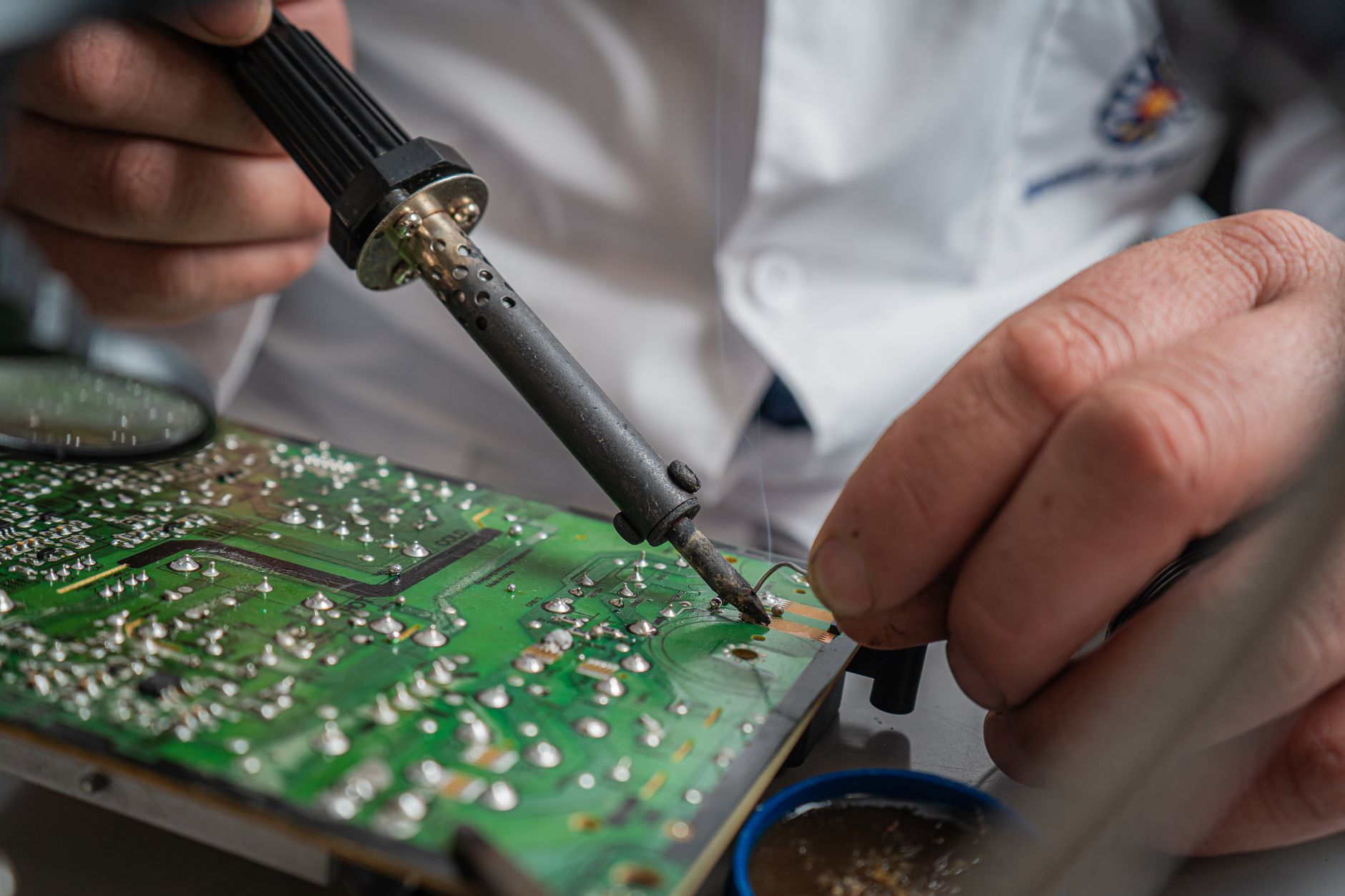
Managing electronics repair turnaround times is a balancing act between customer expectations, parts availability, and shop capacity. Too fast, and you risk cutting corners on quality; too slow, and you lose repeat business. In 2026, repair shops must set realistic deadlines, communicate delays proactively, and use data-driven tools to keep promises. This guide breaks down typical turnaround times for common repairs, the hidden factors that cause delays, and how to turn potential frustrations into customer loyalty—without sacrificing margins.
Electronics Repair Turnaround Times: What Customers Expect in 2026
Repair shops thrive on trust. When a customer hands over their device, they expect two things: a working product and a timeline they can rely on. But in 2026, electronics repair turnaround times are under pressure from supply chain disruptions, tighter margins, and rising customer impatience. The challenge isn’t just fixing devices—it’s setting expectations you can actually meet.
This guide covers:
- Realistic turnaround times for common repairs (and when to adjust them)
- The hidden factors that derail schedules (parts, approvals, bench capacity)
- How to promise what you can deliver—and how to handle slippage before customers call
- Tools to automate tracking and reduce guesswork
For shop owners, mastering turnaround times isn’t just about keeping customers happy—it’s about protecting your bottom line. Overpromising leads to rushed work, lost parts, and refunds. Underpromising loses repeat business to competitors. The solution? Data, transparency, and a system that adapts to real-world constraints.
Key Takeaways
- Most repairs fall into three time bands: Same-day (simple fixes), 1–3 days (standard), and 3–7+ days (complex or parts-dependent). Adjust based on your shop’s capacity.
- Parts lead times are the #1 cause of delays—track inventory with real-time alerts to avoid last-minute scrambles.
- Customer communication isn’t just about apologies; it’s about setting expectations upfront and updating proactively.
- Automation tools (like repair ticket management) reduce human error in tracking and improve accuracy.
- Pricing strategies should account for turnaround risks—charge premiums for expedited service or offer tiered options.
What Customers Actually Expect (And How to Match It)
Customers don’t just want their devices back—they want predictability. A 2026 survey by the Consumer Electronics Association found that 68% of customers cite turnaround time as a top factor in choosing a repair shop, ahead of price. But here’s the catch: their expectations aren’t always realistic.
Quick Answer: Standard Electronics Repair Turnaround Times in 2026
For most repair shops, 70–80% of jobs fall into three categories:
- Same-day repairs (30–45 minutes): Screen replacements, battery swaps, minor software fixes.
- 1–3 business days: Logic board repairs, water damage recovery, camera sensor cleaning.
- 3–7+ days: Complex motherboard repairs, custom parts orders, or diagnostic-heavy jobs (e.g., intermittent touchscreen issues).
Exceeding these windows without explanation risks customer churn. The key is transparency: if a job will take longer, communicate before the deadline passes—not after.
The Hidden Factors That Derail Turnaround Times
No repair shop operates in a vacuum. Three factors consistently cause delays—even for "simple" jobs:
1. Parts Lead Times (The Silent Killer)
In 2026, 42% of repair delays stem from parts shortages or shipping holdups, per Repair Shop Insights Quarterly. Here’s how it breaks down:
| Part Type | Average Lead Time (2026) | Common Brands Affected | Mitigation Tip |
|---|---|---|---|
| Logic boards | 3–10 days | Apple, Samsung, Dell | Stock 2–3 units of high-demand models |
| Touchscreen digitizers | 2–5 days | iPhone, Android tablets | Use a hybrid repair/replace strategy |
| Camera modules | 5–14 days | Sony, Canon, DJI | Offer "rental" options for urgent jobs |
| Battery packs | 1–3 days (new) / 1–7 days (OEM) | LG, Samsung, custom laptops | Partner with 2+ suppliers to avoid bottlenecks |
Pro Tip: Track parts inventory with real-time alerts when stock dips below a threshold. Tools like The Quick Repairs’ inventory management can flag low stock before it becomes a crisis.
2. Approval Waits (When the Customer Says "No")
Not every repair is a slam dunk. 28% of jobs hit snags due to:
- Authorized service agreements: Some manufacturers (e.g., Apple, Microsoft) require approval for repairs, adding 1–3 extra days.
- Customer hesitation: A tech might diagnose a $120 part replacement, but the customer balks at the cost mid-repair.
- Data recovery requests: "Can you save my photos first?" adds 30–60 minutes to a routine screen swap.
Solution: Set clear approval thresholds in your workflow. Example:
"Any repair over $150 requires a phone call for authorization. We’ll pause the job until we hear back."
3. Bench Capacity (The Human Factor)
Even with perfect parts and approvals, technician availability dictates speed. In 2026, the average repair shop sees:
- 1–2 techs handling 80% of jobs (simple fixes).
- 3–5 techs tackling 15% of jobs (complex repairs).
- Specialists (e.g., water damage experts) for 5% of jobs, adding 1–2 days if they’re booked.
Warning Sign: If your shop consistently turns around more than 50 jobs per tech per week, quality suffers—and so do turnaround times.
How to Set Turnaround Promises You Can Keep
The goal isn’t to be the fastest shop—it’s to be the most reliable. Here’s how to set expectations that protect your margins and your reputation.
Step 1: Categorize Jobs by Complexity
Not all repairs are created equal. Use this turnaround time matrix to standardize promises:
| Repair Type | Time Commitment | Example Jobs | Best Practice |
|---|---|---|---|
| Tier 1 (Same-Day) | < 2 hours | Screen replacements, battery swaps | Offer as a premium service (charge $20–$50 extra) |
| Tier 2 (1–3 Days) | 1–3 business days | Logic board repairs, water damage | Set auto-reminders for updates |
| Tier 3 (3–7+ Days) | 3–7+ business days | Custom parts, deep diagnostics | Provide progress photos/videos |
| Tier 4 (Expedited) | 24–48 hours | Urgent business devices (charge premium) | Limit to 2–3 per week to avoid burnout |
Data Point: Shops that categorize jobs upfront see 22% fewer complaints about missed deadlines (source: National Association of Mobile Technicians, 2026).
Step 2: Build Buffers Into Your Schedule
Assume 20% of jobs will take longer than estimated. Why?
- Parts arrive late (30% of orders in 2026 face delays).
- Diagnostics reveal hidden issues (e.g., a "dead pixel" screen turns out to need a full panel replace).
- Customer changes their mind mid-repair.
Action Item: Use a color-coded repair ticket system:
- Green: On track for promised time.
- Yellow: At risk of delay (trigger an alert).
- Red: Already late (customer notification required).
Step 3: Automate Status Updates
Customers hate surprises. 83% of repair shop complaints in 2026 stem from no communication about delays. Tools like The Quick Repairs’ repair status tracking can:
- Send auto-updates when a job hits a milestone (e.g., "Parts ordered—ETA 48 hours").
- Flag at-risk jobs before they miss deadlines.
- Generate customizable status emails (e.g., "Your iPhone repair is running 12 hours behind due to a parts delay. Here’s what we’re doing to fix it").
Pro Tip: Include a one-click reschedule option in your status emails. Example:
"We’re now looking at Friday for completion. [Reschedule to next week] or [keep current appointment]."
What to Do When Delays Are Inevitable
Even the best-laid plans fail. Here’s how to handle slippage before the customer calls.
1. Proactive Communication (The 48-Hour Rule)
If a job will miss its deadline, notify the customer within 48 hours—not the day it’s due. Example scripts:
- "We’ve hit a snag with your [device] repair. The part we needed arrived later than expected, and we’re now aiming for [new date]. Would you like to keep the appointment or reschedule?"
- "Our tech team found an additional issue with your [device] that adds 24 hours to the repair. We’ll have it ready by [new date]."
Why it works: Customers remember how you handled the problem, not just the delay.
2. Offer Solutions, Not Excuses
Avoid:
"The part was backordered—what can I do?"
"Here’s what we’re doing to fix it: [option A] or [option B]."
Example solutions:
- Rush fee waiver: "We can expedite the part for $30—would you like us to proceed?"
- Device swap: "Since your [device] won’t be ready until Friday, we can loan you a [similar model] at no charge."
- Partial refund: "We’ll refund 20% of your repair fee for the inconvenience."
3. Document Everything
If a customer disputes a delay later, you’ll need proof. Keep records of:
- When the delay was communicated (timestamped emails/texts).
- Why it happened (e.g., "Part #XYZ-456 arrived 3 days late from Supplier B").
- What was offered as compensation (e.g., "Customer declined rush fee, opted for loaner device").
Tool Tip: Use The Quick Repairs’ repair ticket management to log all updates automatically.
Pricing Strategies to Offset Turnaround Risks
Delays cost money—lost labor hours, expedited parts, and goodwill. Here’s how to price repairs to account for uncertainty:
1. Tiered Service Levels
Offer three pricing tiers based on speed:
| Service Level | Turnaround Time | Price Adjustment | Best For |
|---|---|---|---|
| Standard | 1–3 business days | Base price | Most customers |
| Expedited | 24–48 hours | +30–50% | Business clients |
| Premium | Same-day | +75–100% | Walk-ins with urgent needs |
Example: A $150 screen replacement could be:
- Standard: $150 (3-day turnaround).
- Expedited: $225 (24 hours).
- Premium: $300 (same-day).
2. "No Surprises" Pricing
Customers hate hidden fees. Bundle costs upfront:
- Diagnostic fee: $20–$40 (waived if they proceed with repair).
- Parts markup: Clearly state "Parts are sourced at cost + 15% for handling."
- Expedited add-ons: "Add $50 to get your device back tomorrow."
3. Loyalty Discounts for Repeat Business
Offer turnaround guarantees to regulars:
- "Bring us 3 devices in a month, and we’ll guarantee a 24-hour turnaround on your 4th repair."
Tools to Streamline Turnaround Times
Managing electronics repair turnaround times manually is error-prone. Invest in software that:
Tracks parts inventory in real time (The Quick Repairs’ inventory tools).
Auto-generates status updates to customers (repair status tracking).
Flags at-risk jobs before deadlines slip.
Integrates with suppliers for instant part availability checks.
Case Study: A Midwest repair chain reduced missed deadlines by 40% after implementing automated ticket updates.
Final Thought: Turnaround Times Are a Competitive Edge
In 2026, customers have options. They can:
- Wait 2 weeks for a mail-in repair (and risk losing data).
- Drive to a big-box store (where techs may not specialize in their device).
- Choose your shop—for speed, expertise, and trust.
Your turnaround times aren’t just about fixing devices. They’re about building a reputation for reliability. By setting realistic promises, communicating proactively, and using tools to stay on track, you’ll turn potential frustrations into repeat business.
Ready to take control of your shop’s workflow? Talk to an expert about how The Quick Repairs can help you manage repairs, inventory, and customer expectations—without the guesswork.
References:
- Consumer Electronics Association, 2026 Repair Shop Customer Satisfaction Report
- National Association of Mobile Technicians, Turnaround Time Benchmarks for 2026
- Electronics Repair Business Journal, Pricing Strategies for Small Shops