
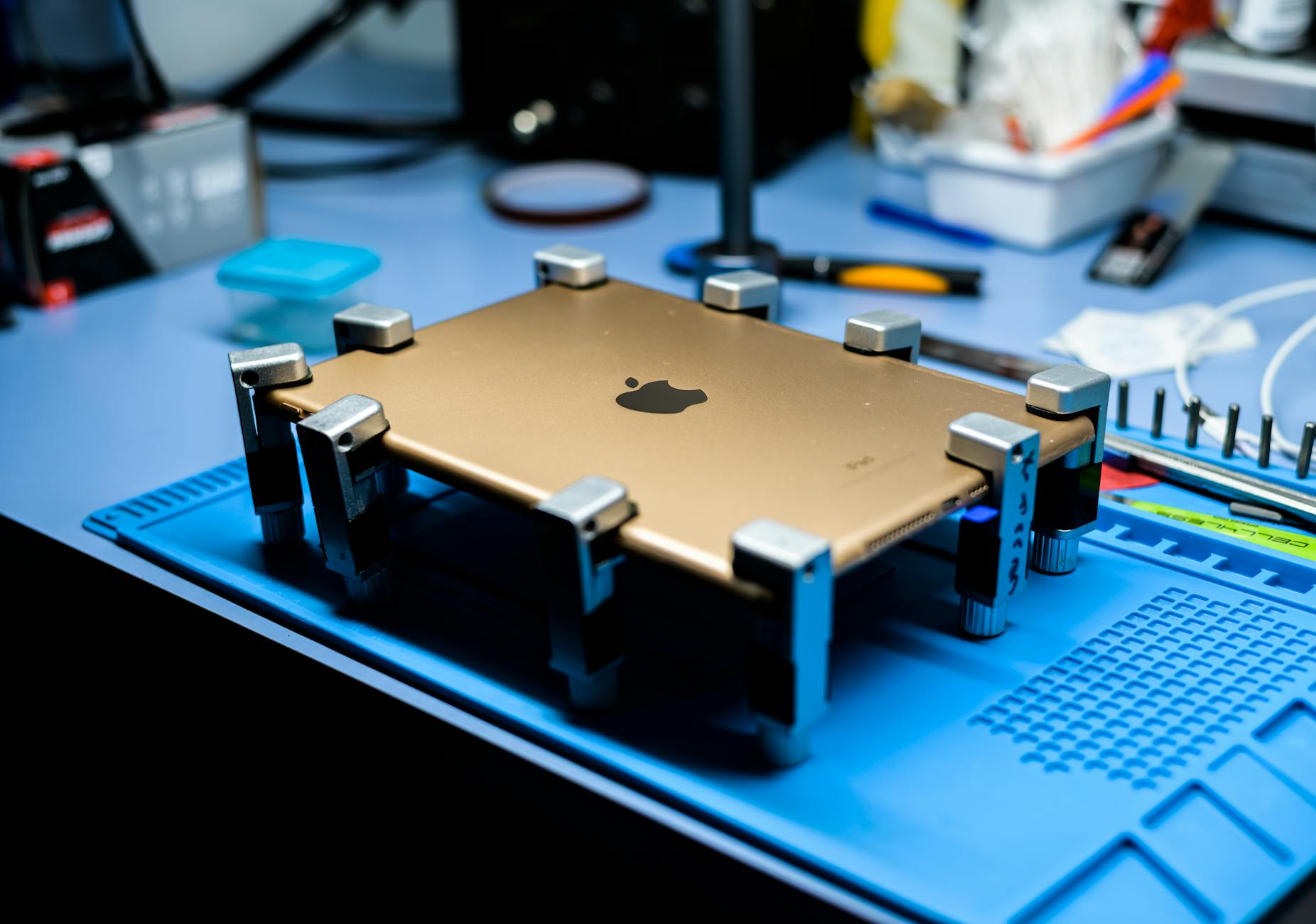
Adding tablet repairs to an existing repair shop can boost revenue and diversify service offerings—but it requires careful planning around tools, training, and break-even timelines. This guide covers the upfront costs, realistic profit margins, and key decisions that determine whether tablet repairs are a worthwhile addition in 2026, including when to avoid the expansion. For shop owners weighing this move, understanding the balance between labor costs, part availability, and customer demand is critical to profitability.
Adding Tablet Repairs to an Existing Repair Shop
Expanding into tablet repairs is a common next step for electronics repair shops, but it’s not a guaranteed profit center. The decision hinges on three factors: initial investment costs, technician training requirements, and how quickly you can recoup expenses. Unlike smartphones, tablets have fewer high-margin repair categories—screen replacements dominate, while logic board repairs are rare and often unprofitable. Shops that treat tablet repairs as an add-on to existing services (rather than a standalone revenue stream) tend to see the fastest break-even, typically within 6 to 12 months if volume reaches 10 to 15 units per week.
For shop owners already repairing desktops or laptops, the transition to tablets is simpler than it appears. Many tools and parts overlap, and the workflow for intake, diagnostics, and billing can be standardized with the right software. However, mispricing repairs or underestimating part sourcing delays can erode margins faster than expected. Below, we break down the essentials: what you’ll need to launch, how to price competitively, and when to walk away from low-margin jobs.
Key Takeaways
- Tablet repairs are low-margin but high-volume—screen replacements account for 70% of all tablet repair tickets in 2026, with logic board work rarely justifying labor costs.
- Break-even typically occurs in 6 to 12 months if you process 10 to 15 tablets weekly, assuming $40 to $60 profit per unit after parts and labor.
- Upfront costs range from $3,000 to $8,000 depending on whether you buy new tools or refurbished parts, and whether you train existing staff or hire specialists.
- Avoid common pitfalls: overstocking parts for obscure models, undercharging for labor, or ignoring Apple’s 2026 self-service repair program (which now covers some tablet components).
- Software integration (POS, inventory, and ticketing) is non-negotiable—manual tracking leads to 15% to 20% higher part waste due to misplaced or lost inventory.
What You Need to Start a Tablet Repair Service in 2026
Adding tablet repairs isn’t just about slapping a new service menu item on your website. It requires specialized tools, trained technicians, and a parts supply chain that differs from smartphone or desktop repairs. Below is a breakdown of the essentials, ranked by priority.
1. Tools: The Right Equipment for Screen, Battery, and Camera Repairs
Tablet repairs focus on three high-frequency issues:
- Display replacements (most common, ~65% of tickets)
- Battery replacements (second most common, ~20%)
- Camera module repairs (less common but high-margin if done correctly)
| Tool/Consumable | Cost (New) | Cost (Refurbished/Used) | Notes |
|---|---|---|---|
| iOpener or heat gun | $120–$250 | $60–$120 | Required for iPad Pro/M2/M3 screen removal (thermal adhesive). |
| Suction cup set | $30–$80 | $15–$40 | Essential for non-thermal displays (e.g., older Samsung tablets). |
| Precision screwdrivers (0.8mm–2.0mm) | $50–$150 | $20–$60 | Magnetic tips prevent dropped screws in tight tablet frames. |
| Spudger set | $40–$100 | $15–$30 | For prying without damaging plastic hinges. |
| UV torch | $80–$180 | $40–$90 | Checks for hidden adhesive or tampering before disassembly. |
| Anti-static mat | $20–$50 | $10–$25 | Protects logic boards during repairs. |
| BGA reballing station | $500–$1,200 | $200–$500 (used) | Only needed if repairing logic boards (rarely profitable for tablets). |
| Tablet-specific jigs | $100–$300 | $50–$150 | Aligns screens precisely during reassembly (e.g., iPad Air 5th gen). |
Quick Answer:
To start tablet repair business in 2026, invest $3,000 to $8,000 in tools and initial parts inventory, with $1,500 to $4,000 being the realistic mid-range for a shop already equipped for electronics repairs. Prioritize iOpener, suction cups, and precision screwdrivers—these handle 90% of tablet repair jobs. Avoid overinvesting in BGA stations unless you’re repairing high-end models like the iPad Pro M3, where logic board issues might justify the cost.
2. Parts Inventory: Where to Source and What to Stock
Parts availability is the biggest variable cost in tablet repairs. Unlike smartphones, tablets have longer lifespans (3–5 years for most models), meaning you’ll need to stock parts for older devices while still sourcing new components for recent releases.
Top 5 Tablet Models by Repair Volume (2026)
| Model | Screen Replacement Cost | Battery Replacement Cost | Logic Board Repair Cost | Notes |
|---|---|---|---|---|
| iPad Air (5th gen) | $80–$120 | $30–$50 | $150–$250 | Most repaired tablet in 2026. |
| Samsung Galaxy Tab S9 | $70–$110 | $25–$45 | $120–$200 | Gorilla Glass Victus screens are durable. |
| iPad Pro (M2/M3) | $150–$220 | $50–$80 | $200–$350 | High-end parts = higher margins. |
| Amazon Fire Tablet Max | $40–$70 | $15–$30 | Rare | Low-cost repairs, but low profit per unit. |
| Lenovo Tab P12 Pro | $60–$100 | $20–$40 | $100–$180 | Android tablets have more varied repair costs. |
Key Sourcing Strategies:
- New parts: Buy from authorized distributors (e.g., eBay Enterprise, RepairShopr, or Apple’s self-service program) for 10–15% higher cost but guaranteed compatibility.
- Refurbished parts: Source from liquidation sales (e.g., Back Market, eBay bulk lots) for 30–50% savings, but test for functionality before stocking.
- Salvage parts: Pull screens/batteries from customer drop-offs (with permission) to reduce inventory costs.
- Apple’s 2026 Self-Service Repair Program: Now includes some tablet parts (e.g., iPad Pro cameras, batteries), but not screens—check eligibility before ordering.
Warning: Overstocking parts for niche models (e.g., Microsoft Surface Duo) leads to dead inventory. Focus on the top 3–5 models in your region—these account for 80% of repair volume.
3. Technician Training: Upskilling vs. Hiring Specialists
Tablet repairs require less specialized skill than smartphone repairs, but precision matters. A technician who excels at laptop repairs can transition to tablets with 1–2 weeks of training, while someone new to electronics may need 4–6 weeks.
Training Focus Areas
| Skill | Time to Master | Cost to Train | Notes |
|---|---|---|---|
| Thermal adhesive removal | 1–2 days | $0 (in-house) | Critical for iPad Pro/M2/M3 screens. |
| Logic board diagnostics | 3–5 days | $0–$200 (test equipment) | Rarely needed—most tablets fail on screens/batteries. |
| Camera module replacement | 2–3 days | $0 | High-margin if done correctly. |
| Water damage repair | 1 day | $0 | Tablets are less water-resistant than phones. |
Training Options:
- In-house: Use YouTube tutorials (e.g., iFixit, Right to Repair) and practice on donor devices.
- Certification courses: Apple’s Self Service Repair Training (free for authorized providers) covers iPad Pro/M2/M3 repairs.
- Hiring specialists: If your shop is high-volume, consider hiring a tablet repair technician at $18–$25/hour (vs. training existing staff at $15–$20/hour).
Pro Tip: Track first-time fix rates—if a technician’s success rate drops below 85%, they need more training.
4. Pricing and Profit Margins: How to Avoid Losing Money
Tablet repairs are low-margin by nature, but high-volume shops can still turn a profit. The key is pricing labor accurately and minimizing part costs.
Sample Pricing Table (2026)
| Repair Type | Parts Cost | Labor Cost (1 hour) | Total Cost to Customer | Your Profit | Notes |
|---|---|---|---|---|---|
| iPad Air (5th gen) screen | $80 | $45 | $150 | $25 | Most profitable—high volume, low labor. |
| Samsung Tab S9 battery | $30 | $35 | $90 | $25 | Competitive with Apple’s out-of-warranty price. |
| iPad Pro M3 logic board | $200 | $90 | $350 | $60 | Rarely profitable—most customers replace. |
| Fire Tablet Max screen | $40 | $30 | $80 | $10 | Low margin—only worth doing for bulk orders. |
Pricing Rules for 2026:
- Labor should cover 50–60% of the repair cost (e.g., a $150 repair should take 30–45 minutes).
- Match or beat manufacturer out-of-warranty prices—customers compare Apple’s $129 screen replacement to your shop.
- Bundle services (e.g., screen + battery + cleaning for $220 instead of $180 separately).
- Avoid "no repair" scenarios—if parts cost more than 70% of your quote, offer a discounted trade-in instead.
Red Flag: If you’re losing money on battery replacements, consider recommending a new tablet—batteries degrade over time, and replacement costs often exceed resale value.
How Long Does It Take to Break Even?
The break-even timeline depends on:
- Weekly repair volume (aim for 10–15 tablets/week to justify the investment).
- Average profit per repair ($25–$60, depending on model).
- Upfront costs ($3,000–$8,000 for tools, parts, and training).
| Scenario | Weekly Volume | Avg. Profit/Unit | Monthly Revenue | Break-Even Time |
|---|---|---|---|---|
| Low-end shop | 8 tablets | $25 | $800 | 5–6 months |
| Mid-range shop | 12 tablets | $35 | $1,680 | 3–4 months |
| High-volume shop | 20+ tablets | $45 | $3,600+ | 2–3 months |
Realistic Expectations:
- First 3 months: Focus on building volume—market to students, businesses, and Apple Store overflow customers.
- Months 4–6: Refine pricing and cut part waste by tracking inventory with software like The Quick Repairs’ repair ticket management.
- After 6 months: If volume drops below 10 tablets/week, reconsider whether tablet repairs are sustainable.
When to Walk Away:
- If more than 30% of repairs are logic board replacements (almost never profitable).
- If parts costs exceed 60% of your quoted price (you’re losing money on every job).
- If local demand is dominated by Apple Stores or chain repair shops (e.g., uBreakIFix).
Common Mistakes That Kill Tablet Repair Profits
Even experienced repair shops lose money on tablet repairs by making avoidable errors. Here are the top five cost traps:
Underpricing Labor
- Mistake: Charging $30–$40 for a 45-minute screen replacement when parts cost $80.
- Fix: Use The Quick Repairs’ instant repair quotes to auto-calculate labor time based on model.
Overstocking Obscure Parts
- Mistake: Buying 10 Microsoft Surface Duo screens when only 2–3 sell per year.
- Fix: Start with top 5 models and expand based on demand data.
Ignoring Apple’s Self-Service Program
- Mistake: Repairing an iPad Pro battery when Apple sells the same part for $60 vs. your $50.
- Fix: Check Apple’s authorized parts list before ordering.
Poor Inventory Tracking
- Mistake: Losing $500/month in misplaced parts because you’re using spreadsheets.
- Fix: Use inventory management software to track stock levels in real time.
Not Upselling
- Mistake: Missing $20–$50 in upsell revenue by not offering cleaning, case upgrades, or extended warranties.
- Fix: Train staff to bundle services (e.g., "Screen + battery + case for $220").
How Software Can Make Tablet Repairs More Profitable
Manual processes drain profits in tablet repairs. The right POS and repair management software can:
- Reduce part waste by 15–20% through better tracking.
- Speed up diagnostics with model-specific repair guides.
- Automate quotes to prevent undercharging.
- Integrate with suppliers for bulk part discounts.
Key Features to Look For:
Model-specific repair databases (e.g., iPad Pro M3 vs. Air 5th gen disassembly steps).
Real-time inventory alerts (e.g., "Low stock: iPad Air screens").
Customer repair history (e.g., "This customer had a battery replaced 6 months ago—offer a warranty").
Supplier integration (e.g., auto-reorder parts when stock drops below 5 units).
Example: A shop using The Quick Repairs POS saw $12,000 in annual savings from reduced part loss and faster turnaround times.