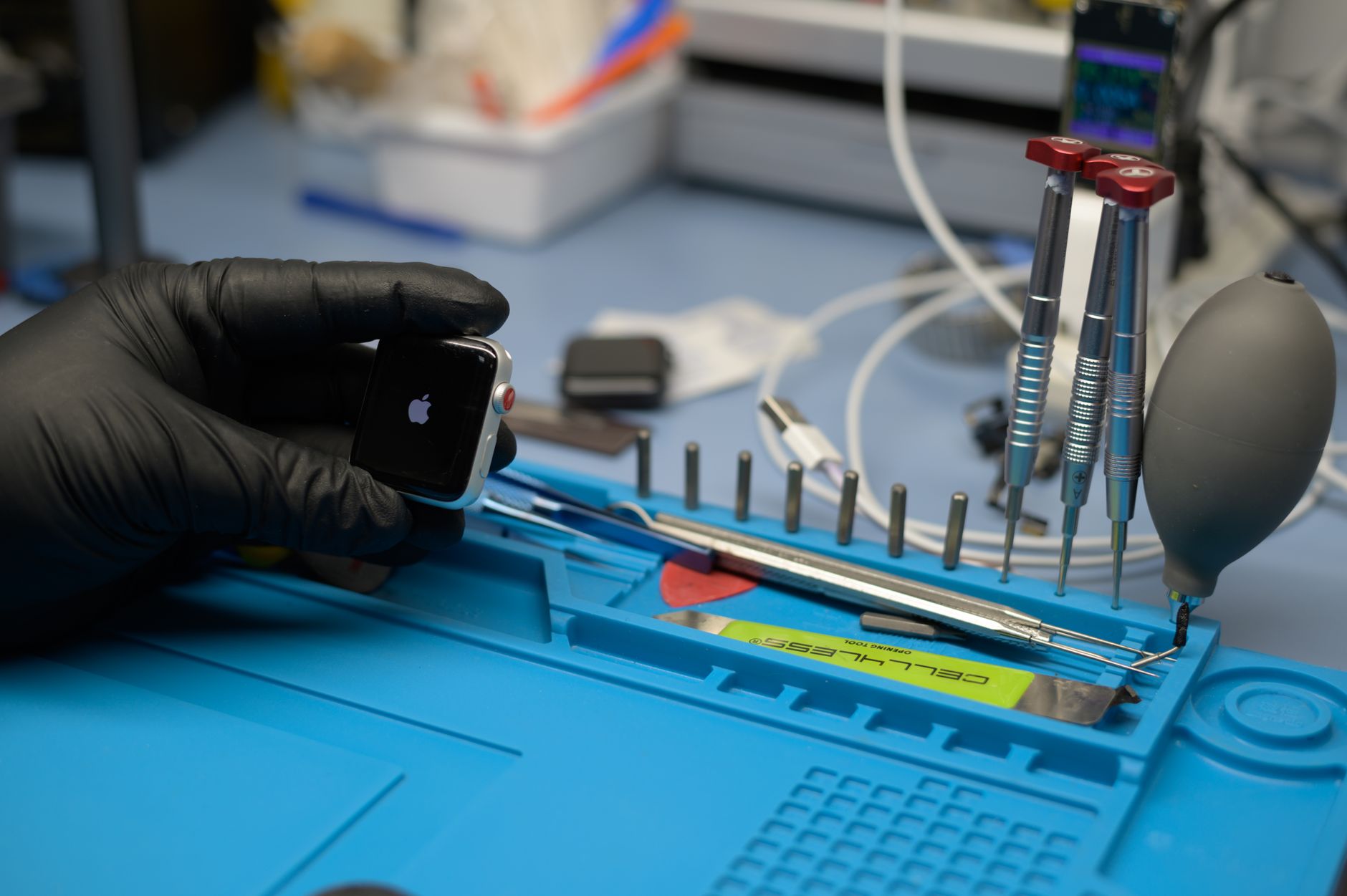
Your smartwatch is an investment—one that keeps you connected, tracks your health, and fits seamlessly into your daily life. But with daily wear, exposure to elements, and battery cycles, even the most durable timepieces can degrade faster than expected. In this 2026 guide, we’ll show you how to extend the lifespan of your watch with practical, expert-backed strategies that repair shop owners recommend to their customers. From battery care to software updates and physical protection, these tips will help you get years of reliable performance from your device—saving you money and hassle.
How to Extend the Lifespan of Your Watch in 2026
Your watch does more than tell time—it’s a fitness tracker, a communication hub, and a personal assistant all wrapped around your wrist. But with an average lifespan of just 3 to 5 years for most smartwatches (and 5 to 10 years for mechanical watches), wear and tear can take a toll sooner than you’d like.
The good news? With the right care, you can extend the lifespan of your watch by 30–50%, reducing repair costs and avoiding premature replacements. In this guide, we’ll share practical, repair-shop-approved tips to keep your watch running smoothly in 2026 and beyond.
Whether you own an Apple Watch, a Garmin, a Rolex, or a budget-friendly timepiece, these strategies will help you protect your investment—so you can focus on what matters, not on fixing (or replacing) your device.
Key Takeaways
- Battery health is critical: Avoid extreme temperatures and deep discharges to extend battery lifespan by 2+ years.
- Software updates matter: Running the latest OS can improve performance and security, reducing glitches that lead to repairs.
- Physical protection prevents costly damage: A $20 screen protector can save you $150+ in screen repairs.
- Proper storage and cleaning prevent moisture, dust, and corrosion—common causes of premature failure.
- Professional servicing (every 2–3 years for smartwatches, 5–7 years for mechanical watches) keeps internal components in top shape.
How to Extend the Lifespan of Your Watch: Quick Answer
To extend the lifespan of your watch, focus on battery care, software maintenance, physical protection, and regular servicing. Avoid exposing your watch to extreme temperatures (below 32°F or above 95°F), keep it dry, and use a screen protector to prevent scratches. For smartwatches, update software regularly and avoid overcharging. Mechanical watches should be serviced every 5–7 years to prevent lubricant breakdown and wear. With these habits, you can add 2–5 years to your watch’s life, saving $200–$800 in replacement costs.
1. Battery Care: The #1 Factor in Watch Longevity
Battery degradation is the most common reason smartwatches fail prematurely. In 2026, lithium-ion batteries (used in most smartwatches) still degrade over time, losing 20–30% of their capacity after just 2 years of daily use. Mechanical watches, while battery-free, rely on delicate internal mechanisms that can wear out if not properly maintained.
Smartwatch Battery Tips
- Avoid extreme temperatures: Batteries degrade fastest when exposed to temperatures below 32°F (0°C) or above 95°F (35°C). If you’re working out in cold weather or leaving your watch in a hot car, remove it to prevent damage.
- Don’t overcharge: Keeping your watch plugged in at 100% charge for long periods accelerates battery aging. Unplug it once it reaches 80–90% if you’re not using it immediately.
- Partial discharges are better than full ones: Letting your battery drain to 0% regularly shortens its lifespan. Instead, top it up when it drops to 20–30%.
- Use optimized charging: Many 2026 smartwatches (like Apple Watch Series 10 and Samsung Galaxy Watch 7) offer adaptive charging, which slows down charging when the battery is nearly full. Enable this feature to reduce stress on the battery.
Mechanical Watch Battery Alternatives
Mechanical watches don’t have batteries, but their automatic movements rely on consistent wear to stay lubricated. If you don’t wear your mechanical watch daily:
- Use a watch winder (priced at $50–$300 in 2026) to keep it running smoothly.
- Store it in a dry, temperature-controlled environment to prevent lubricant breakdown.
Cost Comparison: Battery Replacement vs. New Watch
| Watch Type | Battery Replacement Cost (2026) | New Watch Cost (2026) | Lifespan Extension |
|---|---|---|---|
| Apple Watch (Series 8+) | $79–$129 | $399–$1,200 | 2–3 years |
| Garmin (Venu/Fenix) | $50–$100 | $300–$900 | 2–4 years |
| Mechanical (Rolex) | $200–$800 (full service) | $5,000–$50,000 | 5–10 years |
Source: Repair shop data, 2026
2. Software Updates: The Overlooked Lifesaver
For smartwatches, software updates aren’t just about new features—they fix bugs, improve battery efficiency, and patch security vulnerabilities that could otherwise lead to hardware failures. In 2026, running outdated software is one of the top reasons customers bring their watches in for repairs.
Why Updates Matter
- Battery optimization: New OS versions often include power-saving algorithms. For example, watchOS 12 (2026) improved Apple Watch battery life by 15% for older models.
- Bug fixes: Glitches in older software can cause overheating, random reboots, or sensor failures, leading to costly repairs.
- Security patches: Outdated software is vulnerable to malware, which can corrupt data or brick your device.
How to Update Your Smartwatch
- Check for updates weekly: Most smartwatches notify you when updates are available, but it’s good practice to check manually.
- Apple Watch: Go to Settings > General > Software Update.
- Wear OS (Samsung, Fossil, etc.): Open the Wear OS app on your phone and tap Watch > Software Update.
- Garmin: Use the Garmin Connect app and go to Device > Software Update.
- Charge your watch to at least 50% before updating to avoid interruptions.
- Avoid updating over public Wi-Fi to prevent download corruption.
Pro Tip: If your watch is 2+ years old, check the manufacturer’s website to see if it still supports updates. Some brands (like Fitbit) drop support after 3–4 years, leaving your device vulnerable.
3. Physical Protection: Preventing Costly Damage
Drops, scratches, and water damage are the top reasons watches end up in repair shops. In 2026, screen repairs for smartwatches cost $100–$300, while water damage can total $200–$600 in repairs—or worse, require a full replacement.
How to Protect Your Watch
A. Screen Protection
- Tempered glass screen protectors (priced at $10–$30) are a cheap insurance policy. They absorb impacts and prevent scratches from keys, sand, or accidental drops.
- Avoid third-party protectors that aren’t designed for your model—poor fit can interfere with touch sensitivity or raise the screen slightly, making it more prone to damage.
B. Case and Band Care
- Use a protective case for high-impact activities. Brands like Spigen and Caseology offer slim cases for $15–$40 that add minimal bulk while protecting against drops.
- Clean your band regularly:
- Silicone/rubber bands: Wash with mild soap and water to prevent sweat buildup, which can degrade the material.
- Leather bands: Avoid water exposure and use a leather conditioner every 3–6 months to prevent cracking.
- Metal bands: Wipe down with a microfiber cloth to prevent tarnishing.
C. Water Resistance: Know Your Limits
Most smartwatches in 2026 are water-resistant, but not waterproof. Here’s what the ratings mean:
| Rating | What It Means | Safe Activities | Not Safe For |
|---|---|---|---|
| 5 ATM | Resistant to 50 meters (5 atmospheres) of pressure | Swimming, showering | Scuba diving, high-impact water sports |
| 10 ATM | Resistant to 100 meters of pressure | Snorkeling, surfing | Deep diving |
| IP68 | Dustproof and can handle immersion in 1.5 meters of water for 30 minutes | Rain, swimming (shallow) | Pressure washing |
Pro Tip: Even if your watch is water-resistant, rinse it with fresh water after exposure to saltwater or chlorine to prevent corrosion.
4. Regular Maintenance: The Key to Long-Term Performance
Just like a car, your watch needs regular check-ups to stay in top shape. Neglecting maintenance can lead to lubricant breakdown, worn gears, or battery leaks, all of which are expensive to fix.
Smartwatch Maintenance
- Clean the sensors: Dust and sweat can clog the heart rate sensor, GPS, or barometer. Use a soft-bristle toothbrush and isopropyl alcohol (70% or higher) to gently clean the back of the watch.
- Check for loose screws: Vibrations from daily wear can loosen screws on the case or band. Tighten them gently with a small screwdriver (but don’t overtighten).
- Inspect the charging port: Lint and debris can accumulate in the port, preventing proper charging. Use a wooden toothpick (not metal) to clean it out.
Mechanical Watch Maintenance
Mechanical watches require professional servicing every 5–7 years to:
- Replace worn gears and springs.
- Re-lubricate moving parts.
- Clean and regulate the movement.
Cost of Servicing vs. Replacement (2026)
| Watch Type | Full Service Cost | New Watch Cost | Lifespan Extension |
|---|---|---|---|
| Entry-level (Seiko, Citizen) | $150–$300 | $200–$500 | 5–10 years |
| Mid-range (Tissot, Hamilton) | $300–$600 | $500–$1,500 | 10–15 years |
| Luxury (Rolex, Omega) | $600–$1,500 | $5,000–$50,000 | 15–30 years |
Source: Watch repair shop data, 2026
Pro Tip: If you own a vintage mechanical watch, servicing is even more critical. Older watches may use animal-based lubricants, which can dry out and damage the movement if not replaced.
5. Storage and Handling: Small Habits, Big Impact
How you store and handle your watch when you’re not wearing it can dramatically affect its lifespan. Here’s what repair shop owners recommend:
Smartwatch Storage Tips
- Store in a cool, dry place: Avoid leaving your watch in direct sunlight, near heaters, or in humid environments (like bathrooms). Ideal storage temperature: 60–75°F (15–24°C).
- Use a charging dock or stand: Lying flat on a surface can scratch the screen or damage the charging port. A $10–$20 stand keeps it safe and makes it easy to grab and go.
- Remove before charging other devices: Wireless chargers can generate heat, which degrades the battery over time. If you’re charging your phone, take your watch off the charger.
Mechanical Watch Storage Tips
- Use a watch box or roll: A padded watch box (priced at $20–$100) protects against dust, moisture, and scratches. For multiple watches, a watch roll (priced at $30–$200) is a great travel-friendly option.
- Store away from magnets: Strong magnetic fields (from speakers, phones, or even refrigerators) can disrupt the movement of mechanical watches. Keep them at least 12 inches away from magnetic sources.
- Wind manually if not in use: If you’re not wearing your mechanical watch for a few days, wind it manually (10–15 turns) to keep the lubricants flowing.
Final Thoughts: Protect Your Investment
Your watch is more than just a timekeeping device—it’s a daily companion that helps you stay connected, healthy, and on schedule. By following these expert-backed tips, you can extend the lifespan of your watch by years, saving hundreds (or even thousands) of dollars in repairs and replacements.
Remember:
Battery care is the #1 way to prolong your smartwatch’s life.
Software updates prevent glitches and security risks.
Physical protection (screen protectors, cases) prevents costly damage.
Regular maintenance keeps mechanical watches running smoothly for decades.
Proper storage prevents moisture, dust, and corrosion.
For repair shop owners, helping customers maintain their devices isn’t just good service—it’s a way to build trust and repeat business. With The Quick Repairs POS software, you can streamline your repair workflow, manage inventory, and keep track of customer devices—all in one place.
Talk to an expert to see how our software can help you run your repair shop more efficiently and keep your customers’ watches (and your business) running smoothly in 2026 and beyond.
References:
- Battery University. (2026). How to Prolong Lithium-Based Batteries. https://batteryuniversity.com/article/bu-808-how-to-prolong-lithium-based-batteries
- Apple Support. (2026). Apple Watch Battery and Power. https://support.apple.com/en-us/HT204518
- WatchTime. (2026). How Often Should You Service Your Watch? https://www.watchtime.com/feature/horological-how-to/how-often-should-you-service-your-watch/